Interactive Demo
See exactly what Novel Mage looks like, before you install anything
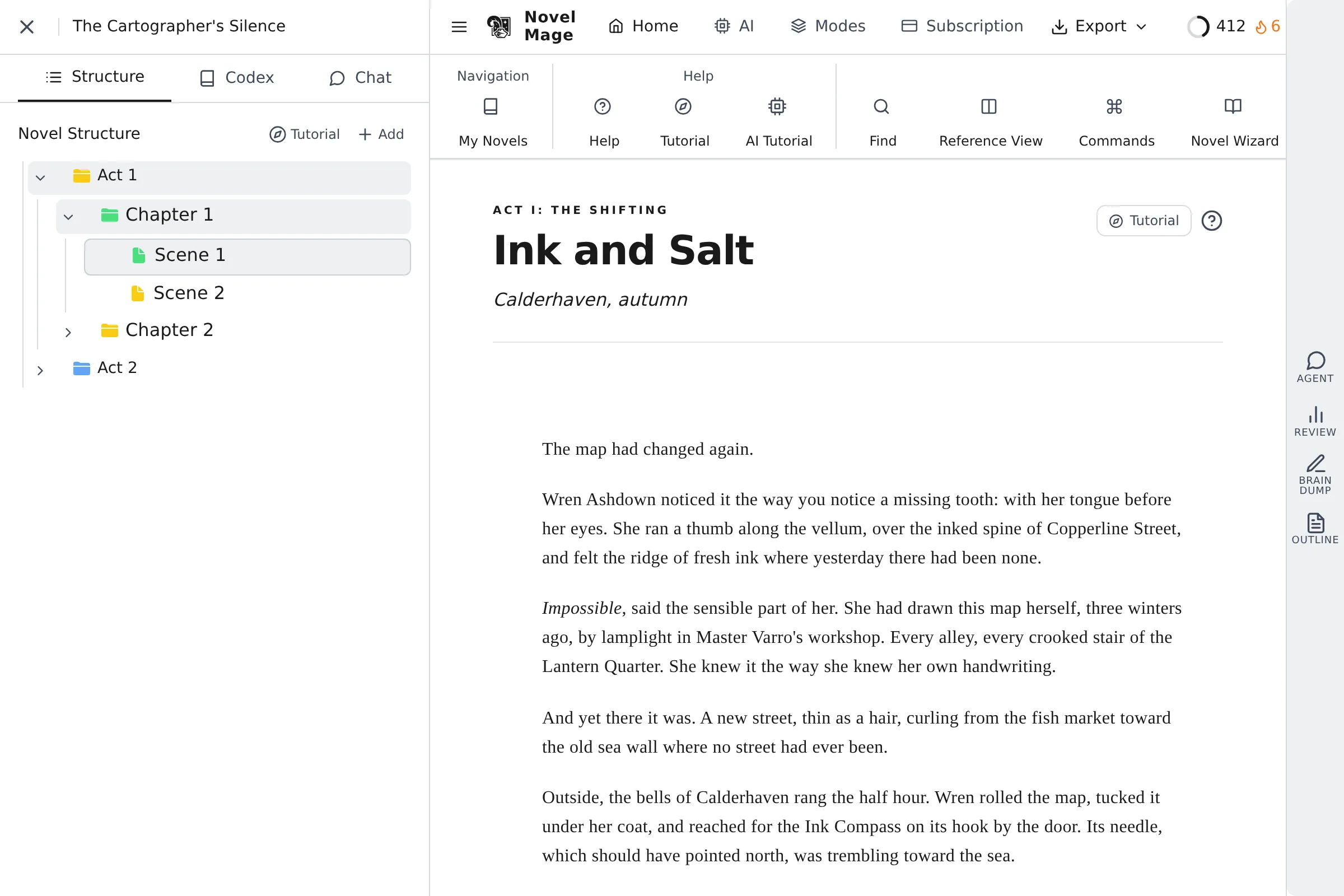
This is the real Novel Mage interface running in your browser, loaded with a sample novel, The Cartographer's Silence. Click around the editor, the Codex and the AI chat. Nothing you type is saved or sent anywhere, and AI replies in the demo are pre-written.
Things to try
Write in the editor
The manuscript is open on chapter 1. Click into the text and type, or switch scenes in the Structure tab on the left.
Open the Codex
The Codex tab holds the characters, places, items and lore for the sample novel. Open an entry to see its details, trigger words and relationships.
Read an AI chat
The Chat tab has an Agent chat that checks continuity against the Codex, and a character interview with Master Varro.
Explore the toolbar
Browse the ribbon tabs, the planning views and the panels on the right. Every screen is the same interface as the desktop app.
What the demo can't show
The demo runs without an AI model, so it can't read your words and reply for real. To access All the features of the desktop app, you need to download and install it.
Read the FAQ for setup and technical detailsReady to try it on your own book?
Download Novel Mage and get every feature free for 7 days, with the AI you choose. No credit card.